Quick Integration Guide
In this guide you will learn step by step how to integrate your invoicing software with the Verifacti API to send invoices to the AEAT. We will show you how to create a free account, perform your first tests with the test NIF, send invoices via the API, check their status and prepare your move to production. You will also see how to manage your issuing companies, sign the representation model and comply with the legal requirements of the VeriFactu system.
1. Create a free account
Create a free account in 30 seconds:
- Click the sign up freebutton.
- Enter your email and password.
- Verify your email by clicking the link in the email we send you.
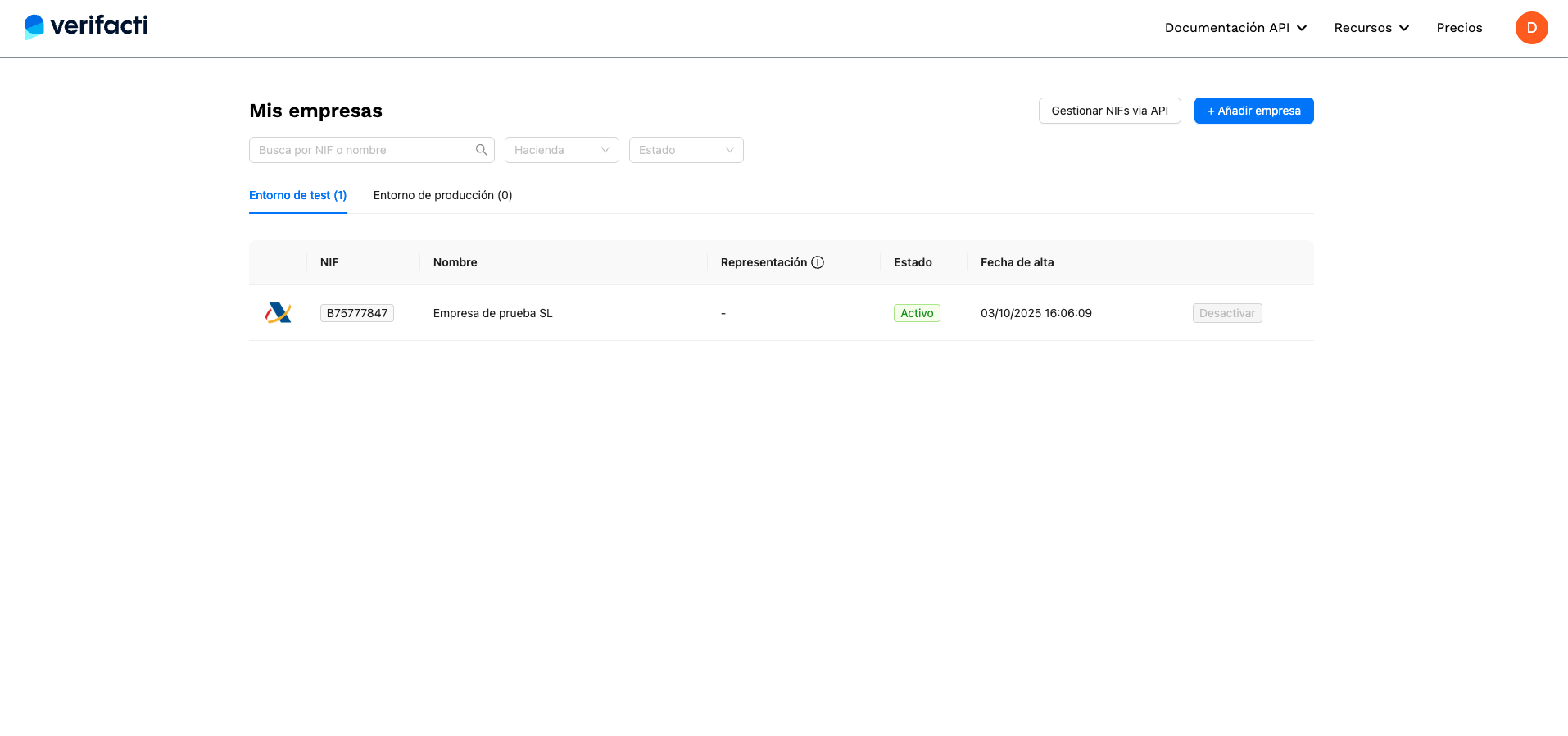
Once inside, you will access the companies panel where a test NIF is already configured to make calls to the AEAT test environment (Figure 1). With this NIF you can send invoices to the AEAT both from our interface and via the API.
The entire basic integration can be completed with the free account.
See the free-account FAQ entry for full details.
2. Send invoices to the test environment
When you enter the test NIF, you will see an integrated terminal to send invoices to the AEAT. This terminal offers a simple and intuitive interface to load all types of invoice examples and send them with a single click to the AEAT test environment (Figure 2).
See the API call examples section for detailed information.
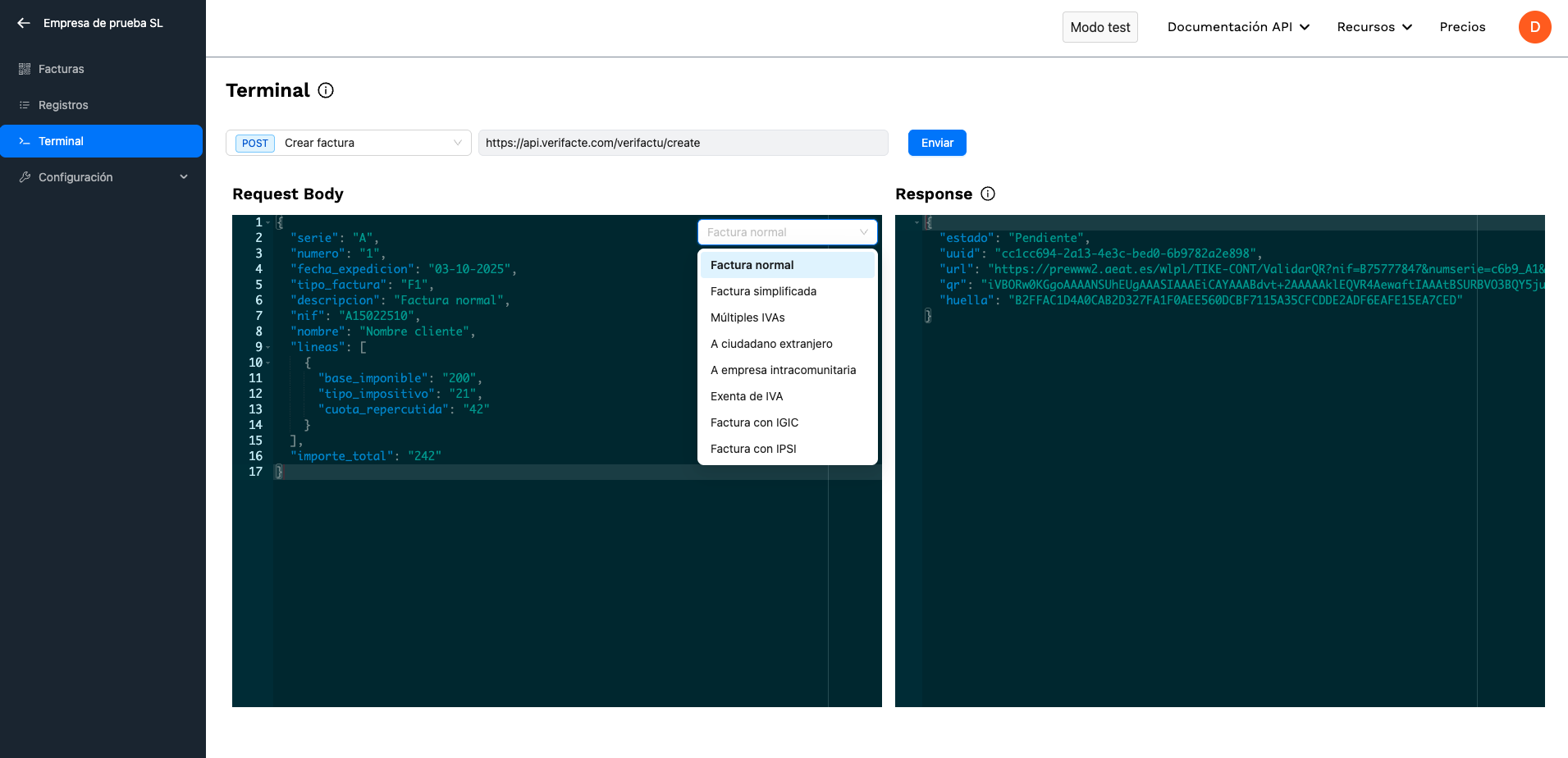
When making the call you will see that you get the QR code (as a base 64 string) of the generated invoice record so you can paste it on your invoice. The QR contains the AEAT URL that allows you to check if the invoice is already registered in their systems.
API - Create invoices
To generate an invoice record and send it to the AEAT you can call the POST /verifactu/create endpoint. To do so you must use the API key of your test NIF, available in the test company API key panel.
You can find more details about the possible invoice types in our documentation. You can also check our examples section.
3. Confirm correct invoice status
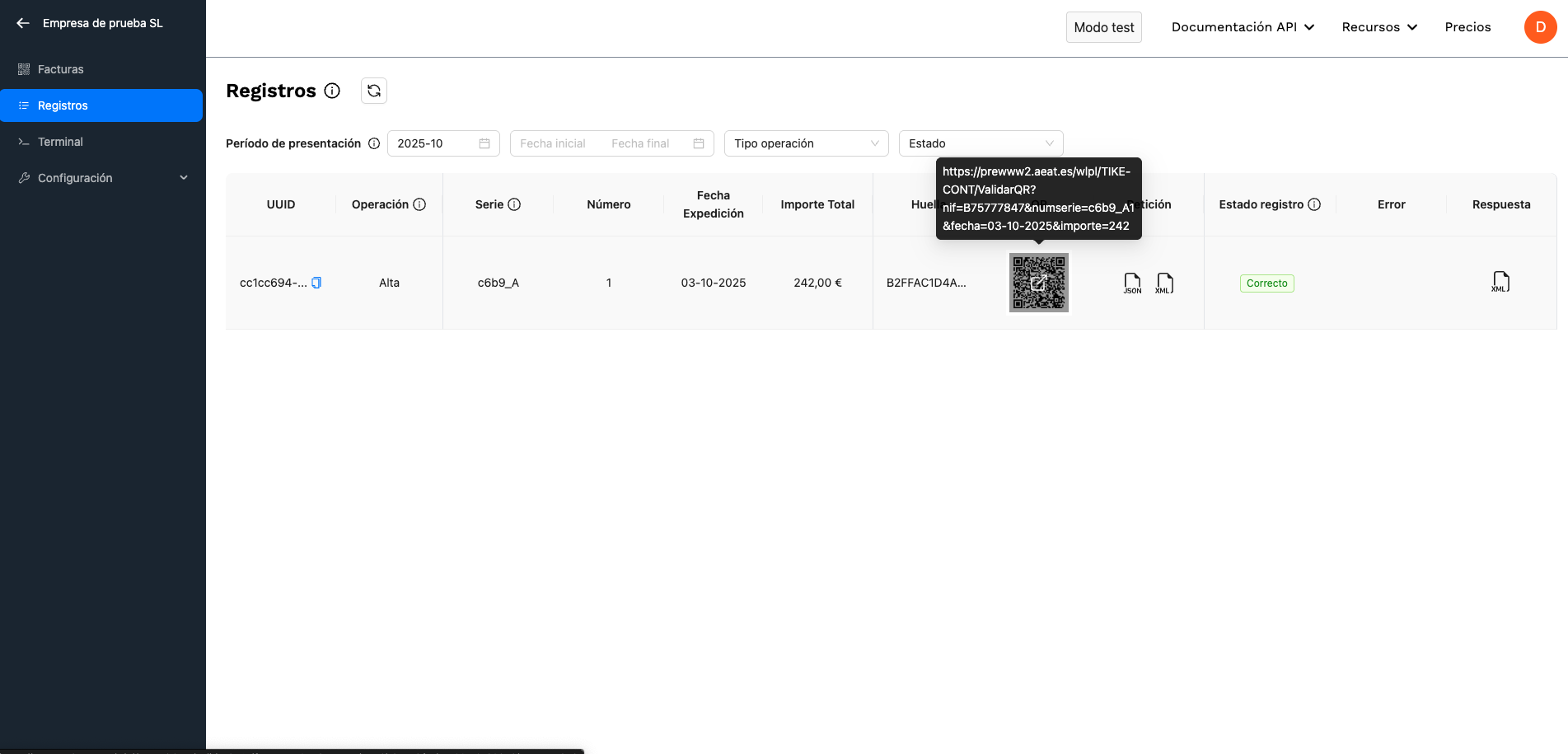
When sending the invoice, the API returns the record status Pending, which indicates it has been generated and queued to be sent to the AEAT within a maximum of two minutes. Due to how Verifactu works, invoice records are not sent immediately but queued for later submission.
You can check the status of records conveniently in our interface (Figure 3).
API - Check invoice record status
You have two options to confirm the status of invoice records.
- You can use our webhooks to receive notifications of changes in the status of your invoice records. (Recommended option)
- When creating an invoice, a unique identifier (
uuid) is returned that can be used to check its status by calling the GET/verifactu/statusendpoint. See the documentation for/verifactu/status.
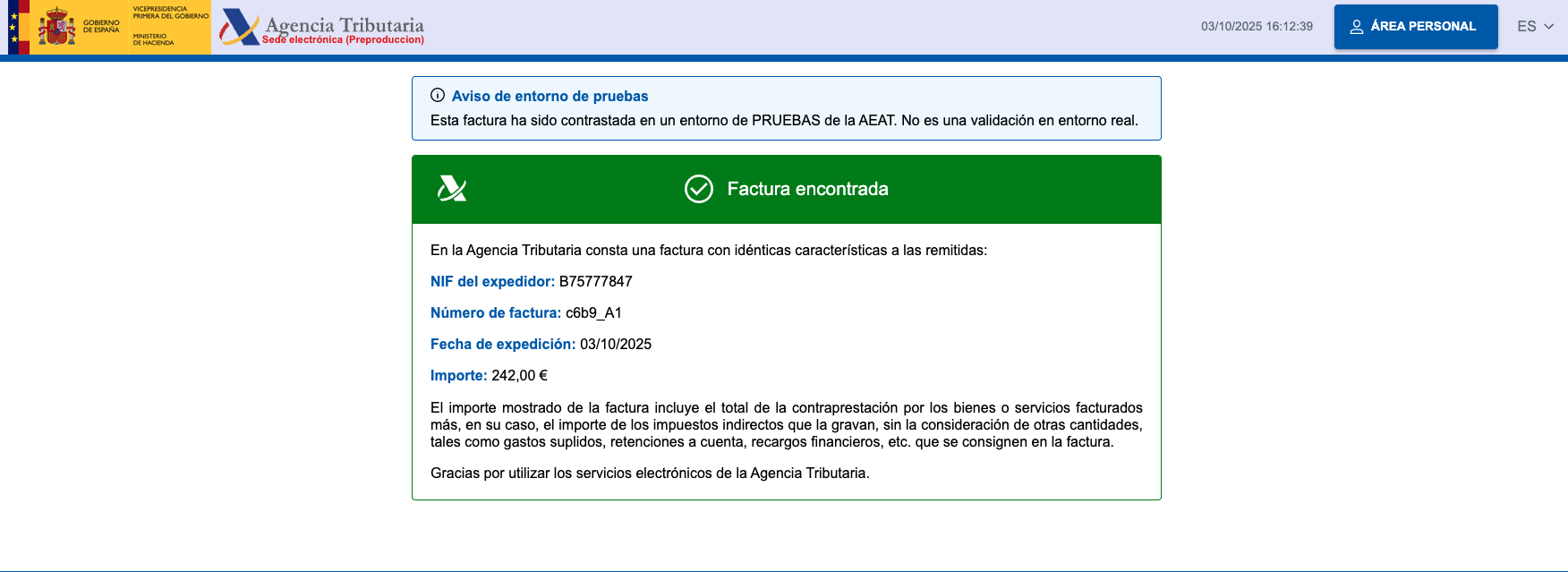
Once the record has been sent to the AEAT, you can check the URL encoded in the QR that takes you to the AEAT page. There you can verify that the invoice has been sent and registered correctly in the AEAT test environment (Figure 4).
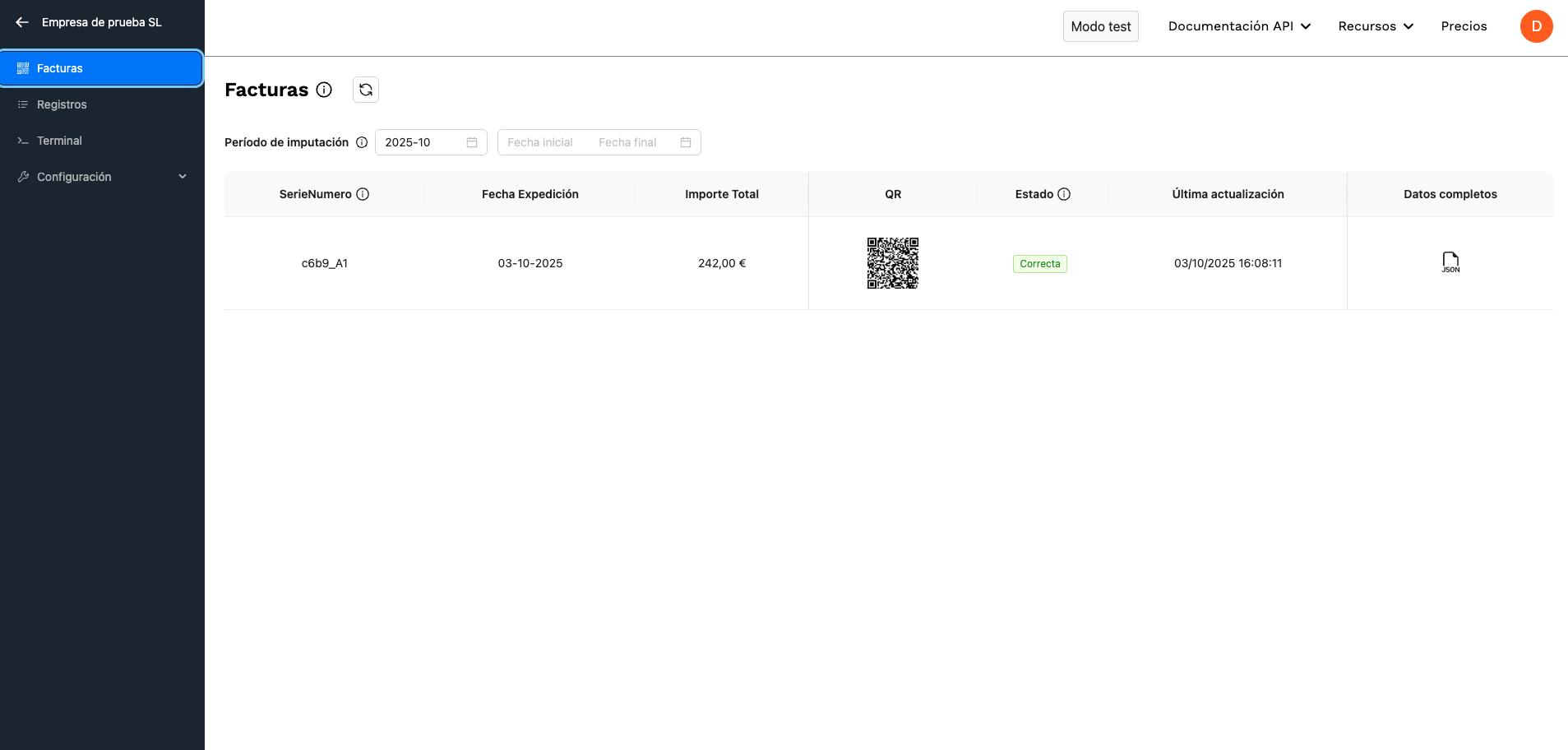
Finally, you can check the complete list of invoices as they are registered at the AEAT from our invoices panel (Figure 5).
API - List submitted invoices
You can list the invoices submitted to the AEAT by calling the POST /verifactu/list endpoint.
You can find more details in our documentation.
4. Activate paid subscription
To prepare the move to production, you must activate your paid subscription:
- Navigate to the pricing page.
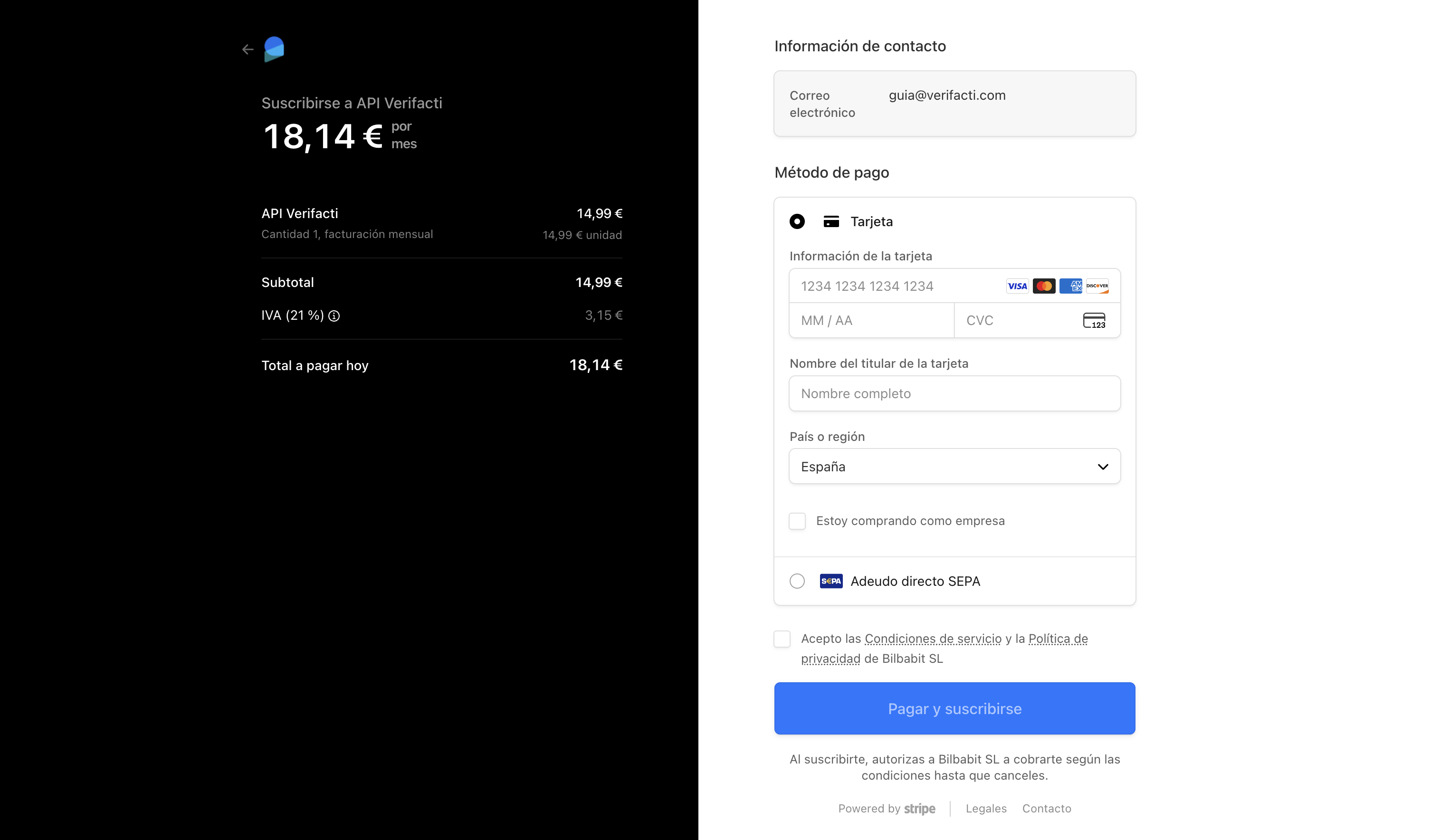
- Click the "Buy first NIF" button. You will be redirected to the payment page.
- Check the "I am buying as a company" box to enter your tax ID, which will appear on the invoices (Figure 6).
See the pricing FAQ for more details.
5. Create test NIF
Once a subscription has been activated, you can create as many test invoice-issuing NIFs as you want at no additional cost. To do so, go to the companies panel and click "+ Add company", which will redirect you to the company creation screen (Figure 7).
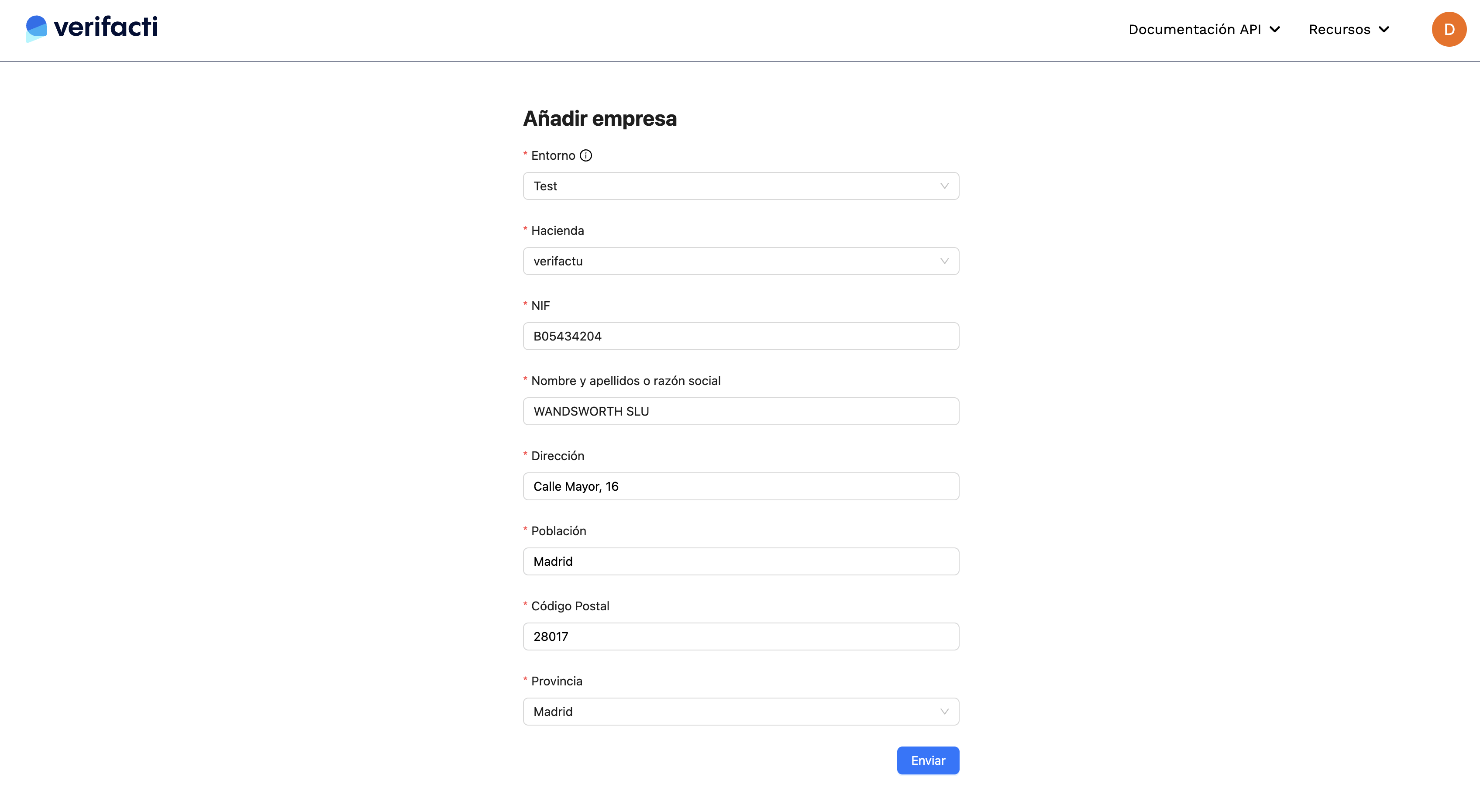
It is important to choose the correct environment. Test environment companies send invoices to the AEAT test environment. Production environment companies send invoices to the AEAT production environment. Only the latter increase the monthly bill.
API - Add invoice issuer NIFs
If you want to use our API to send invoices from hundreds or thousands of companies or freelancers, you can create them via API by calling the POST /nifs endpoint. To do so you must use the API key of your account, available in the account settings (API key tab).
You can find more details about how to add, modify or deactivate NIFs via API in our documentation.
Once the company is created, you can start sending invoices to the AEAT. Remember that each company has its own API key when making API calls.
See how API Keys, environments and NIF management work at Verifacti.
6. Manage representation model
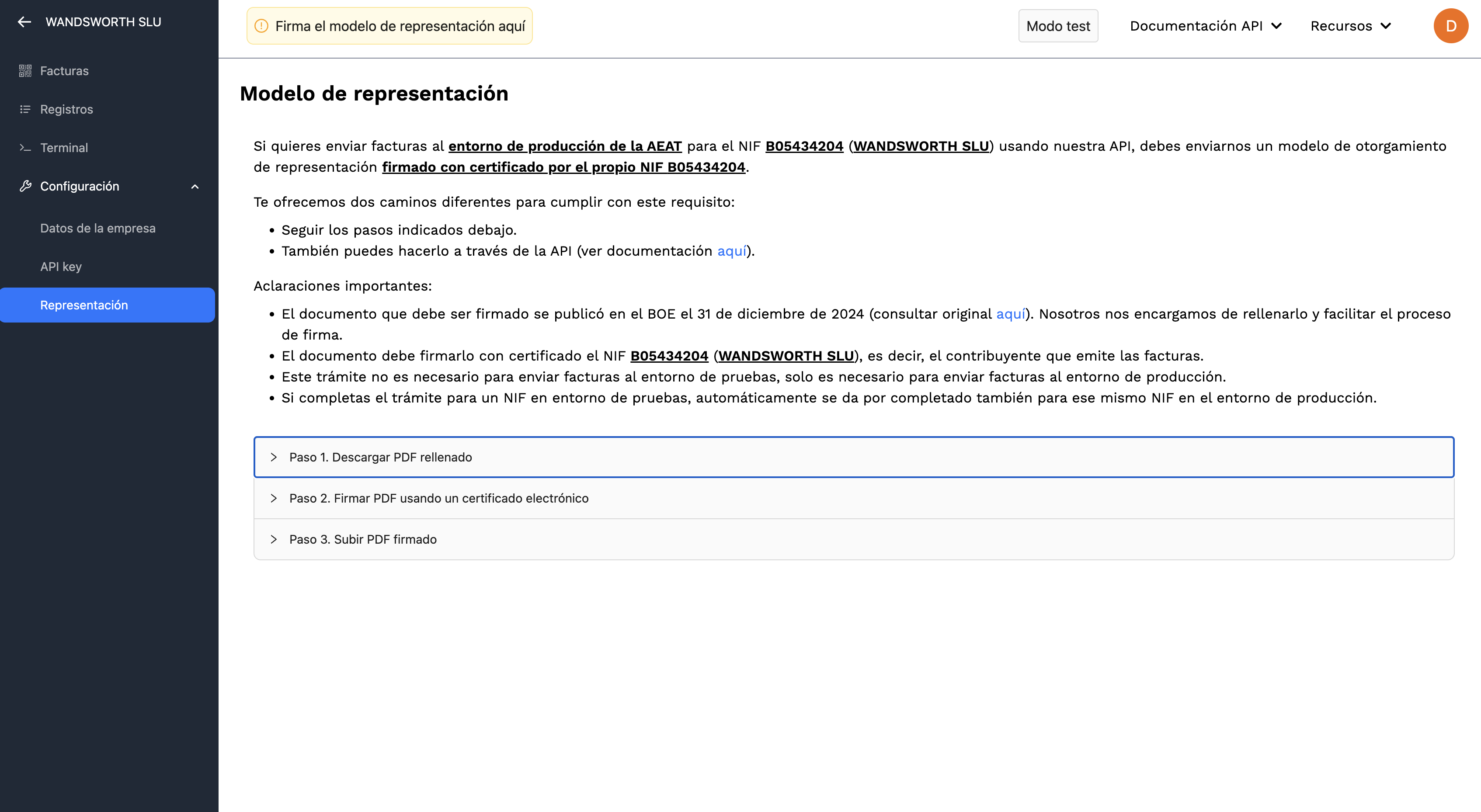
For Verifacti to be able to send invoices on behalf of your company to the AEAT, it is necessary to sign a document that authorizes us to do so. For test NIFs it is not necessary to fill it in, but for the move to production, it can be filled in from the test NIF and the document will be valid when the NIF is created in production mode.
You can download the pre-filled representation model from our platform, on the NIF page (Figure 8). There the steps to follow to fill it in, sign it and send it are explained.
API - Representation model
Representation models can be filled in and sent via API using the API key of your account, available in the account settings (API key tab).
You can find more details about how to manage representation models via API in our documentation.
See how certificate and representation-model management works with Verifacti.
7. Move to production
Once you have the integration completed for your test NIF and the representation model correctly signed and sent, you can move to production. To do so, simply create the same NIF in the production environment and change the API key from the test NIF to the production one.
API - Create NIFs in production
To move your test NIFs to production via API, you can chain the list NIFs, get the information of each one, and create in the production environment endpoints. To do so you must use the API key of your account, available in the account settings (API key tab).
You can find more details about how to manage NIFs via API in our documentation.
See how API Keys, environments and NIF management work at Verifacti.
8. Publish responsible declaration
To comply with VeriFactu there are no external certification or verification requirements by the AEAT. Each invoicing software must include a document that self-certifies that it complies with the regulatory requirements.
In a mixed architecture case such as using an API like ours, both the invoicing software and Verifacti itself must have their responsible declaration. You can download Verifacti's responsible declaration (PDF) and to help you fill in yours, we have prepared a template to facilitate the process.
See the tutorial on how to publish the responsible declaration.